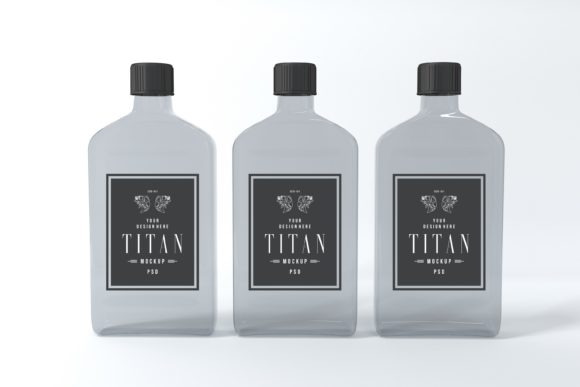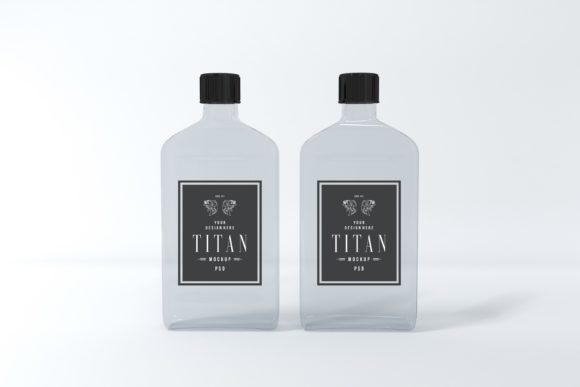
Titan Bottle Mockup: A Powerful Tool for Branding and Product Presentation
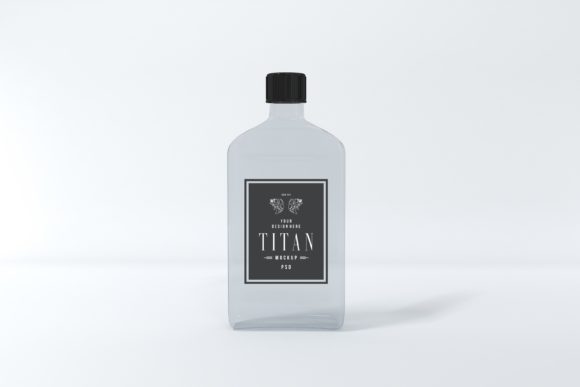
The Titan Bottle Mockup is a high-quality, 3D realistic rendered file designed to help creators, marketers, and business owners showcase their label designs, artwork, and branding efforts with professional precision. Unlike many other bottle mockups that rely on basic 3D renders, this mockup offers a level of detail and realism that makes it stand out in any presentation or marketing material.
What Is the Titan Bottle Mockup?
The Titan Bottle Mockup is a layered Photoshop (PSD) file that allows users to easily add or overlay their custom label designs, artwork, or printed materials directly onto a virtual bottle. This makes it an essential tool for anyone involved in product design, branding, or digital marketing. Whether you're working on a new beverage line, a cosmetic product, or a promotional item, the Titan Bottle Mockup provides a realistic and professional way to visualize your final product before it goes into production.
This mockup is ideal for use in various stages of a project, from initial concept development to final marketing campaigns. It fits seamlessly into workflows that involve graphic design, product packaging, and digital asset creation.
How to Use the Titan Bottle Mockup in Your Workflow
Using the Titan Bottle Mockup is straightforward, thanks to its smart object layering system. This means you can easily replace the default label with your own design without having to redraw or rework the entire image. The process involves opening the PSD file in Adobe Photoshop, locating the smart object layer designated for the label, and replacing it with your artwork.
This simplicity makes the Titan Bottle Mockup a valuable addition to your creative toolkit. You can use it during the pre-production phase to test different label designs, during the production phase to present to clients or stakeholders, or even after the product launch to create promotional content for social media, websites, or print materials.
Integration with Other Tools and Resources
The Titan Bottle Mockup works well with a variety of design software, including Adobe Photoshop, Illustrator, and even some graphic editors like Canva. Its compatibility with these tools ensures that it can be integrated into almost any workflow, regardless of the platform or software you prefer.
For example, if you're using Adobe Illustrator to design your label, you can export the design as a PNG or JPEG and then place it into the Titan Bottle Mockup’s smart object layer. This seamless integration saves time and reduces the need for additional editing or adjustments.
Benefits of Using the Titan Bottle Mockup
One of the main advantages of the Titan Bottle Mockup is its high resolution. With dimensions of 5000 x 3333 pixels, it ensures that your final images are crisp, clear, and suitable for both digital and print use. This level of detail is especially important when presenting your work to clients or stakeholders who expect professional-quality visuals.
Another benefit is the minimalistic background color, which allows your label design to take center stage. This clean backdrop makes it easier to focus on the details of your artwork and ensures that the final image looks polished and professional.
Additionally, the Titan Bottle Mockup is a cost-effective solution in the long run. Instead of creating custom mockups from scratch each time, you can reuse this file across multiple projects, saving both time and money. This makes it a valuable asset for small businesses, freelancers, and creative professionals who need to maintain consistency across their branding efforts.
Practical Implementation Tips
To get the most out of the Titan Bottle Mockup, consider the following tips:
- Plan your design ahead: Before placing your artwork into the mockup, ensure that your label design is complete and ready for placement. This helps avoid last-minute changes and ensures a smoother workflow.
- Use high-quality files: When replacing the smart object layer, use high-resolution images to maintain the clarity and professionalism of the final output.
- Experiment with different layouts: The mockup allows for easy adjustments, so feel free to experiment with different label placements, sizes, and orientations to find the best fit for your design.
- Save multiple versions: If you're working on multiple iterations of a design, save separate versions of the mockup to keep track of your progress and make revisions easier.
Real-World Use Cases
The Titan Bottle Mockup is versatile and can be used in a variety of real-world scenarios. For instance, a small business owner launching a new line of organic beverages can use the mockup to create compelling social media posts, website banners, or print advertisements. A freelance designer working on a branding project can use it to present different label concepts to clients in a visually engaging way.
Marketers can also benefit from the Titan Bottle Mockup by using it to create mockups for email campaigns, product launches, or influencer collaborations. The ability to quickly generate high-quality visuals saves time and enhances the overall effectiveness of marketing efforts.
Long-Term Value and Reusability
One of the key strengths of the Titan Bottle Mockup is its reusability. Once you have the file, you can use it across multiple projects, ensuring consistency in your branding and reducing the need to recreate mockups from scratch. This not only saves time but also helps maintain a cohesive visual identity across all your marketing materials.
Moreover, the mockup’s high resolution and realistic rendering make it suitable for both short-term and long-term use. Whether you’re working on a single project or building a portfolio of work, the Titan Bottle Mockup remains a reliable and effective tool that delivers consistent results.
Support and Assistance
If you have any questions about the Titan Bottle Mockup or need assistance with using the file, support is available. The creators are happy to help with any issues or provide guidance on how to get the most out of the mockup. This level of support ensures that even users with limited design experience can successfully integrate the Titan Bottle Mockup into their workflow.
Feel free to reach out if you need further information or assistance. The goal is to make the Titan Bottle Mockup as accessible and useful as possible for all users, regardless of their skill level or design background.